
Dispatch Board vs Spreadsheet Scheduling for Rentals
When a shared spreadsheet stops working for bounce house deliveries - and what a dispatch board fixes for trucks, crew, and day-of status.
- Dispatch
- Operations
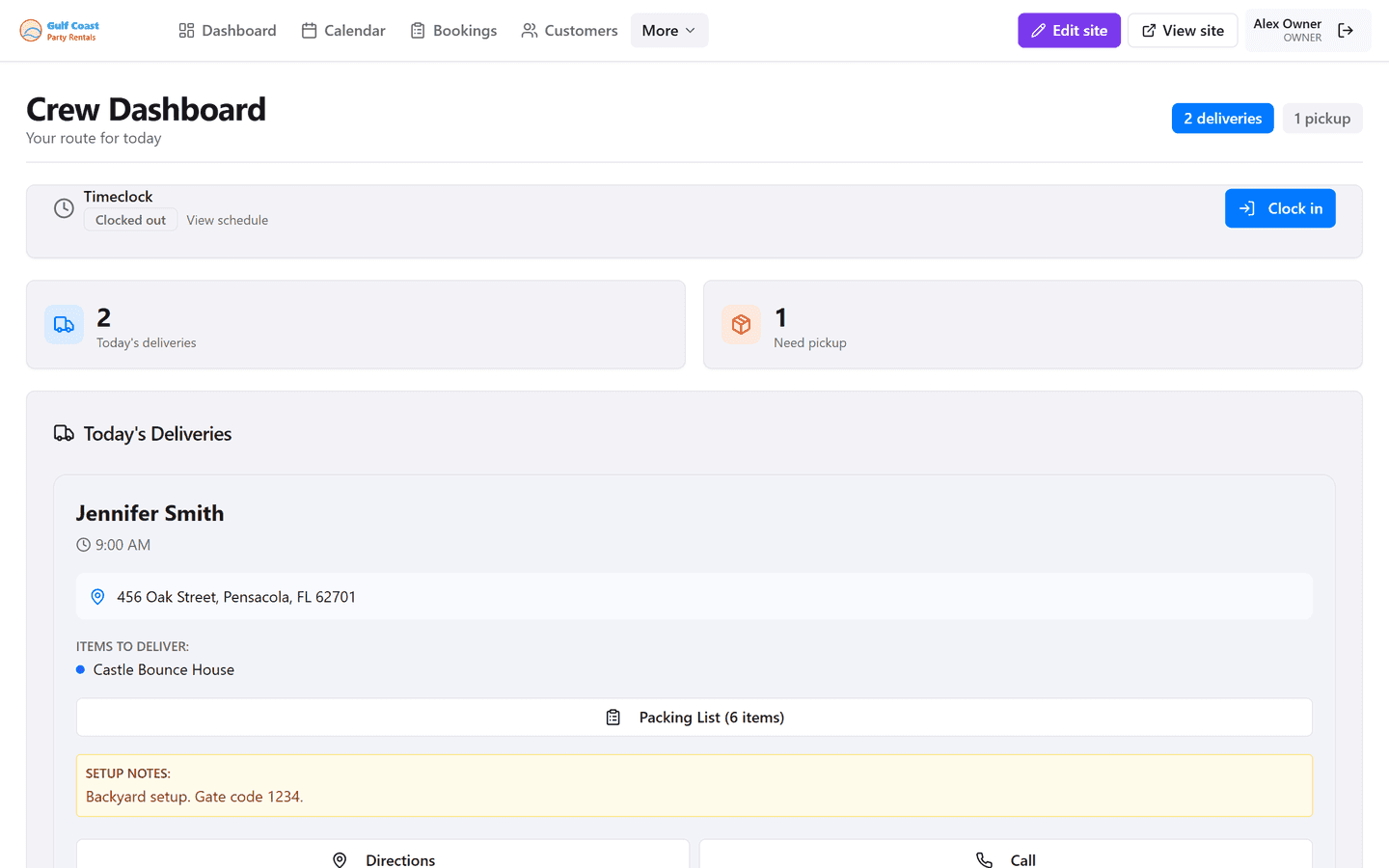
Most rental companies start with a spreadsheet or whiteboard. It works until you have two trucks, three crew, and a Saturday that looks like a Tetris board. Then the “simple” system starts costing you missed addresses, duplicate assignments, and angry calls from a driver who has the wrong tab open.
This article compares spreadsheet scheduling with a dispatch board built for delivery-day reality - and how to migrate without boiling the ocean.
Where spreadsheets fail on peak weekends
Version conflicts are the classic failure: two people edit availability, someone downloads a copy, and the truck leaves with yesterday’s address. Stale phone numbers, missing gate codes, and no packing list for the person loading the trailer follow close behind.
Spreadsheets also hide status. Is the rainbow combo delivered, en route, or still in the warehouse? If the answer lives in a group text, your office becomes a call center for information that should already be visible.
What a dispatch board adds
A dispatch board shows today’s jobs, vehicle assignments, and status in one place. Crew open a mobile view with Maps links, customer notes, and checklists instead of calling the office mid-route for the next stop.
Owners and managers see bottlenecks early - two heavy slides assigned to one truck, a long haul stacked against a tight local job, or a waiver still unsigned an hour before departure.
Spreadsheet vs dispatch board at a glance
- Spreadsheets are flexible but fragile when multiple people edit under time pressure.
- Whiteboards are visible in the shop but useless for crew already on the road.
- Group texts are fast and chaotic; important details scroll away.
- A dispatch board centralizes assignments, status, and job details for office and crew.
Start simple - you do not need enterprise logistics
You do not need warehouse robotics or AI route optimization on day one. You need today’s routes, who is on which truck, what is on each trailer, and confirmation when a unit is delivered or picked up.
Begin by moving Saturday operations onto a board while keeping historical reporting elsewhere if needed. Once crew trusts the mobile job view, midweek work follows naturally.
Change-management tips for your team
Pick one peak weekend as the cutover and enter every job before Friday night. Give crew a five-minute walkthrough: open today’s jobs, navigate, mark delivered, mark picked up. Keep the office from reintroducing a shadow spreadsheet “just in case,” or you will run two systems forever.
Capture the fields drivers actually need: address, contact name, phone, setup notes, inventory list, and special venue instructions. Extra columns nobody reads create noise.
When a spreadsheet is still fine
If you are truly solo with a handful of weekday jobs and one truck, a well-kept spreadsheet can survive another season. The tipping point is usually the first time you hire help or stack more than a few overlapping Saturday deliveries.
If you already feel dread opening the workbook on Friday night, you have your answer.
What to put on every dispatch job card
At minimum: customer name, phone, full address with gate codes, inventory list, delivery window, balance due, waiver status, and special setup notes. Optional but valuable: parking instructions, HOA constraints, power availability, and whether a second person is required.
If crew still call for the same missing field every weekend, add that field permanently. Dispatch quality is mostly about removing repeated questions.
Routing habits that save Saturdays
Cluster jobs geographically when possible, leave recovery time after water-slide teardowns, and avoid assigning your farthest haul as the first stop unless traffic data says otherwise. A board makes these tradeoffs visible; a spreadsheet tab buried behind formulas does not.
End the day with pickup status updated so Monday morning does not start with “did anyone grab the combo from the park?”
How InflataHQ supports delivery days
InflataHQ includes a dispatch board and crew mobile tools on every plan - built for bounce house delivery days, not generic warehouse fleets. Jobs connect to bookings, so addresses and inventory are not retyped from a form into a sheet.
If your Saturday mornings start with “which version is correct?”, moving to a dispatch board is less about fancy software and more about giving every person the same live picture of the day.